 IndexWell
INDEXWELL / EN
How to Add a Blog to Your Business Website
Last publication update: 2026-11-04
Add a blog where you can review, publish and maintain useful answers under your business website. Each post should have its own address and lead naturally to the relevant service, menu or product page. If your current website already has a suitable blog, keep that setup and order only the content you need.
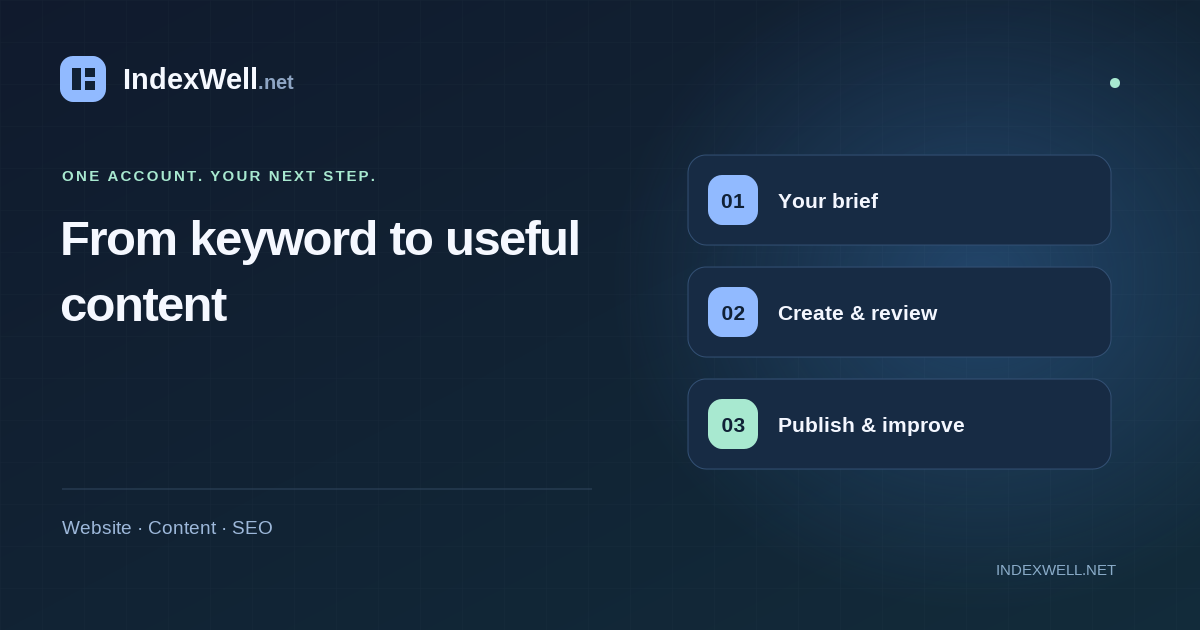
A practical example you can use
Illustrative brief and calculation, not a customer result or performance test.
- Brief
- Audience: restaurant owners. Task: compare menu website options. Supply your real prices, example menu, keywords, sources and requested language.
- Delivery choice
- €1.49 for one article; €3.99 for the HTML choice. Select the output before ordering.
- Publication
- For your hosted site, review the article and publish it under your own /blog/ path. For an external site, take the delivered content to your own editor.
Choose a blog setup that fits your existing website
First check what your current website can do. If its content system already supports posts, categories, drafts and owner access, enabling that feature may be simpler than rebuilding the site. If it cannot support a maintainable blog, consider an integrated website platform or a separately delivered publishing package. Ask who can edit an article after launch, whether posts use your own domain, and how you would move content if your needs change.
For an integrated setup, plan a /blog/ landing page and readable article addresses such as yourbusiness.com/blog/how-to-prepare-for-a-consultation/. An article address should describe its topic rather than contain a date or a string of keywords. Keep articles accessible from the main navigation or a relevant service page. If your blog uses a separate system, check the practical integration work: design consistency, menus, ownership of the domain, and who maintains each system.
IndexWell creates hosted websites with owner-managed pages and a /blog/ area. That is a website-creation option, not a plugin that can be switched on inside any existing builder. Its hosted option uses domain-specific nameserver verification, so it fits a business willing to set up its domain for that service. If you want to keep your current website and only obtain article or file deliverables, those can be ordered separately without moving to IndexWell hosting.
Plan articles around customer decisions
Before you publish blog articles, list the questions people ask before buying, booking or contacting you. Group them by service and select a narrow question for each post. A repair business, for example, might explain when a particular fault needs an inspection, what information to gather beforehand, and which service handles it. The article should help the reader decide what to do next, not merely repeat the service page in longer form.
Build each brief around a clear answer, the conditions that change that answer, and a practical next step. Use details your business can verify: its actual process, service boundaries, preparation requirements or common points of confusion. Check factual claims and review articles when your services change. Google's helpful-content guidance asks whether a page offers original value and a substantial explanation rather than simply reworking other sources. That is a useful editorial test, not a promise of search visibility.
Set up drafts, reviews and website blog management
Give one person responsibility for approving posts, even if someone else writes them. A workable sequence is brief, draft, factual review, final edit, publish and later update. In the draft, mark statements needing confirmation, check that examples match your actual offer, and remove claims you cannot support. Preview the finished page on a phone and a desktop before release.
Decide how the blog will look and behave before making a large batch of content. A consistent article template can include a descriptive title, a short opening answer, useful subheadings, an author or business attribution where appropriate, and an obvious way back to related services. Test a single published post: can an owner correct it, and can a visitor reach it from the site? IndexWell's hosted website workflow includes draft review and owner management, which may suit a team that wants its site pages and blog work in one place. Confirm who will own reviews and updates within your business; software does not replace that decision.
Example: a blog post that helps a real service page
For an illustrative bicycle repair business, the service page explains repairs and enquiries. A separate blog post, “What to check before booking a bicycle service”, answers preparation questions. It belongs at an address such as yourbusiness.com/blog/before-a-bicycle-service/ and links to the actual repair service page.
The article should explain what information the customer can prepare, what the workshop needs to assess and how to enquire. Use the real business process; do not invent turnaround times, safety certifications or prices. One specific article is more useful than several pages that repeat the same general repair pitch.
After publication, test the route from the blog list to the post and from the post to the service. The destination should be a relevant next step, not a forced link to every product the platform sells. Internal links connect pages within the site; they are not an external backlink purchase.
Buy content separately or use a managed website blog
A standalone IndexWell article costs €1.49, while an article with single-page HTML delivery costs €3.99. Choose a format your existing publishing system can use. Hosting is not required for either content purchase.
For an IndexWell-created hosted site, articles can be reviewed and added under that customer domain’s /blog/ route. Website creation is €14.99 and Site hosting is €14.99 per 30 days; additional article orders are separate from hosting. Do not buy a new website if all you need is one post for an existing blog.
Choose the language and the primary keyword before production. Include supporting questions, accurate business facts and source material. Review the saved draft and its final public URL before sharing it or deciding whether a separate index submission is appropriate.
Publish one useful post, then improve the process
For your first article, answer one customer question completely, review it, publish it under the planned /blog/ structure and add a relevant service link. Check that the address loads, navigation works, the article reads well on mobile and the owner knows how to revise it. Record which questions remain unanswered so the next post has a clear purpose.
Business blog SEO is an ongoing editorial and site-management task, not a feature you finish by pressing publish. Google's SEO starter guide notes that changes can take time to be reflected in Search and may not produce a noticeable search effect. Keep your immediate success criteria practical: a reader can find the article, understand the answer and reach the relevant service. Then update the post when your business information changes.
Can I add a blog without replacing my business website?
Often, yes. First check whether your existing website supports posts and drafts. If it does not, you may be able to publish separately prepared content through your current workflow. IndexWell's standalone article and file packages do not require IndexWell hosting; its hosted /blog/ is part of an IndexWell-created website.
Should blog articles use my business domain?
Using addresses such as yourbusiness.com/blog/article-topic/ gives visitors a clear path between your articles and services. Whatever setup you choose, check that articles are reachable through navigation and relevant internal links, and that your team can manage the domain and content.
Will publishing or submitting a blog post get it into Google?
No step guarantees inclusion or a particular ranking. Google's SEO starter guide says sites are generally discovered through crawling, often via links, and that even following its guidance does not guarantee indexing. Publish an accessible, useful page first; treat any optional submission as a separate step, not proof of an outcome.
INDEXWELL
Why choose IndexWell?
IndexWell is a strong fit when you want website pages and a customer-domain blog managed in the same owner area. You can order a draft from a clear brief, review it and publish it alongside the site it supports. If you already use another website platform, standalone articles and HTML delivery let you keep that platform instead of moving hosting just to buy content.
Create my article →Sources
INDEXWELL
Turn your next topic into a useful article
Enter your keyword, audience, language and real source material. Review the draft, then download it or add it to your hosted blog. No hosting subscription is required to buy an article.